Zepp
Zepp, Inc.Sports
4.430.24K Reviews
- Version
- 10.10.5-play
- Installs
- 10.00M
- Age Rating
- Everyone
Screenshots
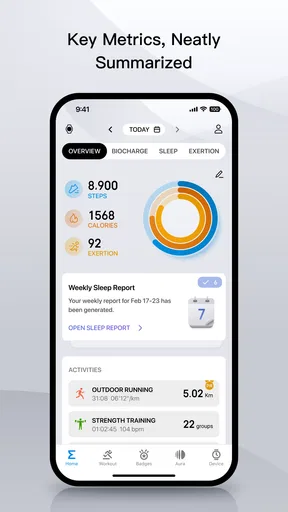
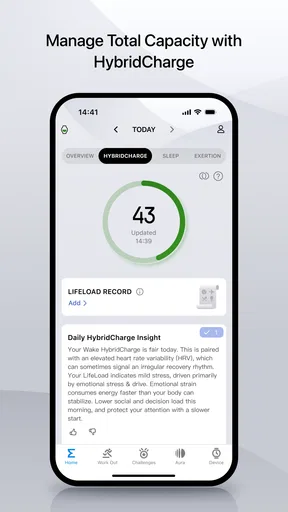
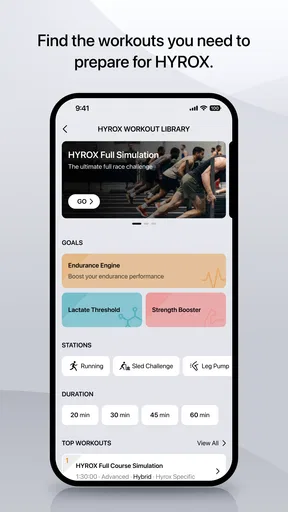
Our Review of Zepp
 Analysis by Appyee
I see Zepp as most useful when it turns information from a compatible wearable into a steady routine, rather than as a fitness coach that can do everything on its own. It is a free health and fitness app from Zepp, Inc., with a 4.2 average from around 1.4 million ratings and over 10 million installs. That gives a new user a sense of how widely it is used, but the practical question is whether its tracking and reports fit the device and habits they already have.
My main reservation is that the experience depends on the hardware connected to it. If you already use an Amazfit watch or tracker, Zepp can bring workouts, daily activity, and sleep information together in one place. If you do not own a compatible wearable, it is less compelling as a standalone destination: I would not choose it expecting a phone alone to provide the same continuous health picture as a watch-based setup. That distinction matters more than the breadth of the feature list.
Getting Started with Zepp
First things first, downloading Zepp from the app store was a breeze. It’s compatible with both Android and iOS, which is a big plus. Once I opened the app, I was greeted with a clean and intuitive interface. Setting up my profile was as simple as pie. You input some basic info—think age, weight, height—and you’re good to go.
Zepp is listed as a sports app, but in everyday use I think of it as the companion dashboard for a wearable: it gathers activity and wellness readings so I can look for patterns instead of judging a day by a single number. The app is free to download, rated for Everyone, and its current Android release is 9.15.2-play, with Android 7.0 or later required. Optional in-app purchases range from a few cents to just under ninety dollars per item, so I would check what a particular purchase offers before treating the free download as the whole cost of every feature.
Features That Stand Out
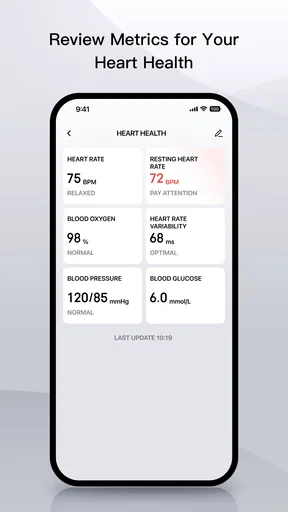
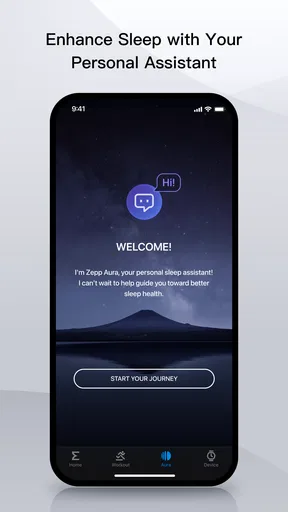
The app is packed with features, and I mean packed. You’ve got your usual suspects like step tracking and heart rate monitoring. But what really caught my eye was the sleep analysis. It breaks down your sleep into light, deep, and REM stages. It even gives you tips on how to improve your snooze time, which I found pretty handy.
The most useful way I found to read those sleep stages is as a trend, not a nightly verdict. A single restless night can be affected by an unusual schedule, travel, or simply wearing the device differently. I’d compare several nights and note whether the same pattern keeps appearing before changing a routine. That makes the app’s summaries more actionable and avoids turning estimates from a wearable into a diagnosis.
One small but worthwhile habit is to check that the wearable has synced before relying on a day’s totals. If a reading looks incomplete, I would first give the device time to reconnect and refresh the app, rather than manually drawing a conclusion from a partial day. This is especially useful when moving between a morning workout and an afternoon check-in: a clean timeline makes the history easier to interpret later.
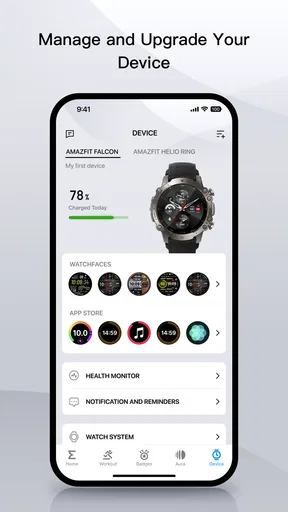
Zepp also syncs seamlessly with a variety of smartwatches and fitness trackers. I linked it up with my Amazfit, and the data transfer was smooth as silk. The app offers real-time stats that you can access anytime, anywhere. Plus, it has a nifty little calendar feature that lets you track your progress over weeks and months.
That calendar is more valuable as a consistency check than as a scoreboard. I’d use it to notice whether walks, workouts, or rest days are fitting into a normal week, then adjust one thing at a time. For example, if activity drops whenever work gets busy, a short walk at lunch may be a more realistic fix than setting an ambitious training target that is hard to maintain. The history helps make that kind of decision visible.
What I Loved About Zepp
One of the features I genuinely appreciated was the workout modes. Whether you’re into cycling, running, or even yoga, Zepp has a mode for it. The app offers detailed insights into each workout, helping you push your limits without overdoing it. Oh, and the voice coaching is a nice touch. It’s like having a personal trainer in your pocket.
For someone building a routine, I’d treat workout feedback as a way to compare like with like: similar routes, familiar sessions, and how an effort felt on different days. That is more dependable than chasing a single “best” result. Voice coaching can also be helpful when you want cues without repeatedly looking at a screen, though it is not a substitute for a human coach who can assess technique or adapt a plan to an injury.
A realistic day with Zepp might start with a quick look at sleep and activity, followed by a walk or planned workout tracked through the connected wearable. Later, I could check the session details and use the calendar to see whether the week is balanced. The point is not to consult the app constantly; a couple of deliberate check-ins are enough to turn the records into a habit without letting every fluctuation dictate the day.
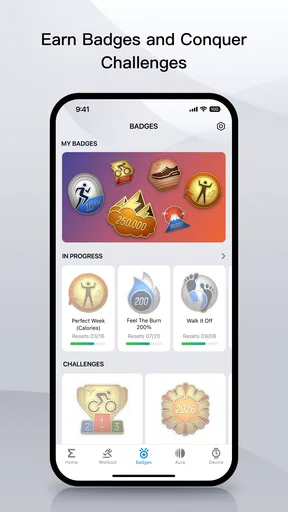
Another thing worth mentioning is the community aspect. You can connect with friends, join challenges, and even share your achievements. It’s a great way to stay motivated and maybe even a little competitive.
I’d use challenges selectively. They can add a friendly nudge when a group has similar schedules and goals, but they can also encourage people to compare unlike routines or push through when rest would be wiser. I find the social tools most useful for consistency—checking in with friends or celebrating a completed week—rather than treating rankings as a measure of fitness.
Where the Trade-Offs Show
Now, no app is perfect, right? While I found Zepp to be pretty fantastic overall, there were a couple of hiccups. Sometimes, the GPS tracking could be a bit slow, especially in crowded areas. Also, while the free version is quite comprehensive, some advanced features require a subscription. But hey, that’s the norm these days, isn’t it?
GPS delays are a practical issue for outdoor workouts: if a route starts recording late, the map or distance may not reflect the beginning as expected. I would give the device a moment to settle before starting a run and avoid judging a session solely by the route trace when the signal is unreliable. In a dense city, a familiar measured route or effort-based comparison may be more useful than expecting every GPS detail to be exact.
There is also a difference between a broad feature set and a focused training tool. Zepp brings daily health tracking, workout records, sleep summaries, and social motivation into one app, which is convenient if that is the ecosystem you use. A runner seeking structured coaching, a specialist training log, or detailed route planning may prefer an app built specifically around that job. Likewise, someone who only wants a simple step count may find the range of screens and metrics more than they need.
Before paying for anything, I’d first use the free experience long enough to identify a specific feature I genuinely miss. The purchase range is wide, and an optional item is only worthwhile if it solves a real problem in your routine. I would not assume that every advanced tool is necessary just because it appears in the app; basic tracking and reviewing habits may already cover what many people want.
Who Will Get the Most from It
I’d recommend Zepp first to people who already have a compatible Amazfit wearable and want one place to review activity, workouts, and sleep. It also suits casual exercisers who like seeing progress across weeks, and people who respond well to gentle competition with friends. Its broad approach is a strength when the goal is general awareness and consistency, rather than a highly specialized training plan.
I’d be more cautious if you are choosing a wearable from scratch and want the app to be the deciding factor. Check that the specific watch or tracker you plan to use works with the functions you care about; compatibility across a range of devices does not mean every device provides every reading or experience. If you already use another brand’s ecosystem and are happy with its reports, switching only for Zepp may add setup and another place to check without improving your routine.
People who want medical interpretation should also keep expectations grounded. Sleep stages and heart-rate readings can be useful context, but I would treat them as wellness information, not a diagnosis or a replacement for professional advice. The app is better at helping you notice patterns and remember activity than at explaining why a health change is happening.
Zepp has been available since December 13, 2016, and its steady presence is reflected in its substantial audience, including around 28,000 written reviews. That scale can be reassuring when deciding whether to try a widely used companion app, though popularity does not guarantee that a particular wearable will suit your needs. The best test is whether it makes your own data easier to understand and act on.
In conclusion, if you’re on the hunt for a reliable fitness and health tracking app, Zepp is definitely worth checking out. It’s user-friendly, feature-rich, and offers a ton of value even without a premium subscription. So go ahead, give it a whirl, and see how it fits into your fitness journey.
My verdict is positive, with one clear condition: I’d choose Zepp when its wearable support matches what I own or plan to buy. It combines practical daily tracking with workout and sleep views, and its calendar and social features can help turn scattered readings into a routine. I would skip it in favor of a simpler tracker if I only wanted steps, or a specialist training app if I needed deep coaching and route tools. For an Amazfit user who wants a readable record without making fitness feel like a second job, it is an easy app to try.
Privacy and Permissions
See what permissions an app requests and how it handles your data.
- Device & app history
- retrieve running apps
- Identity
- find accounts on the device
- Calendar
- read calendar events plus confidential information, add or modify calendar events and send email to guests without owners' knowledge
- Contacts
- find accounts on the device, read your contacts
- Location
- approximate location (network-based), precise location (GPS and network-based), access extra location provider commands
- SMS
- send SMS messages
- Phone
- directly call phone numbers, read call log, read phone status and identity
- Photos/Media/Files
- read the contents of your USB storage, modify or delete the contents of your USB storage
- Storage
- read the contents of your USB storage, modify or delete the contents of your USB storage
- Camera
- take pictures and videos
- Microphone
- record audio
- Wi-Fi connection information
- view Wi-Fi connections
- Device ID & call information
- read phone status and identity
- Other
- view network connections, pair with Bluetooth devices, access Bluetooth settings, change system display settings, change network connectivity, connect and disconnect from Wi-Fi, control flashlight, full network access, change your audio settings, draw over other apps, control vibration, prevent device from sleeping, modify system settings, set an alarm
Verdict
Strengths of Zepp
- Intuitive interface enhances user experience.
- Comprehensive fitness tracking features.
- Seamless integration with wearable devices.
- Customizable notifications and reminders.
- Detailed sleep analysis and insights.
Limitations of Zepp
- Limited third-party app integrations.
- Occasional syncing delays with devices.
- Advanced features require premium subscription.
- Battery consumption can be high.
- Some metrics lack detailed explanations.
Similar Picks in This Category
View All
BeSoccer: Soccer Live Score
BeSoccer apps4.3

Cricbuzz - Live Cricket Scores
Cricbuzz.com3.7

NFL
NFL Enterprises LLC2.4

Da Fit
MO YOUNG LIMITED3.6

ESPN
Disney4.5

LiveScore: Live Sports Scores
LiveScore Limited4.5
Frequently Asked Questions
What is Zepp and what does it do?
Zepp is a comprehensive fitness app designed to track various health metrics and enhance your workout routines. It offers features such as activity tracking, heart rate monitoring, sleep analysis, and personalized fitness plans. The app is compatible with a range of smart devices, making it a versatile tool for fitness enthusiasts.
Is Zepp compatible with all wearable devices?
Zepp is compatible with a wide range of smartwatches and fitness trackers, including Huami's Amazfit and Xiaomi devices. However, it’s important to check the specific compatibility with your device model on the Zepp website or app store listing to ensure full functionality before downloading.
How does Zepp help improve my fitness routine?
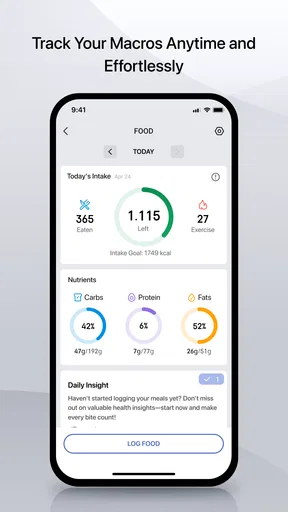
Zepp offers personalized fitness plans based on your health data and fitness goals. It tracks detailed metrics such as steps, calories, heart rate, and sleep patterns. With this data, Zepp provides insights and tailored recommendations to optimize your workouts and overall health regimen.
Does Zepp require a subscription for full access?
Zepp offers both free and premium features. While basic tracking and metrics are available for free, some advanced features like personalized workout plans and detailed health insights may require a subscription. It's advisable to review the app's pricing details to understand what is included in each tier.
Is my data secure with Zepp?
Zepp is committed to protecting user data and employs various security measures to ensure privacy. The app uses encryption and other technologies to safeguard your information. Users should review Zepp's privacy policy and terms of service to understand how their data is handled and stored.
